How to Design Your Yard with AI
Transform any outdoor space in minutes. No design experience needed - just upload a photo and describe your dream yard. Our AI handles the rest.
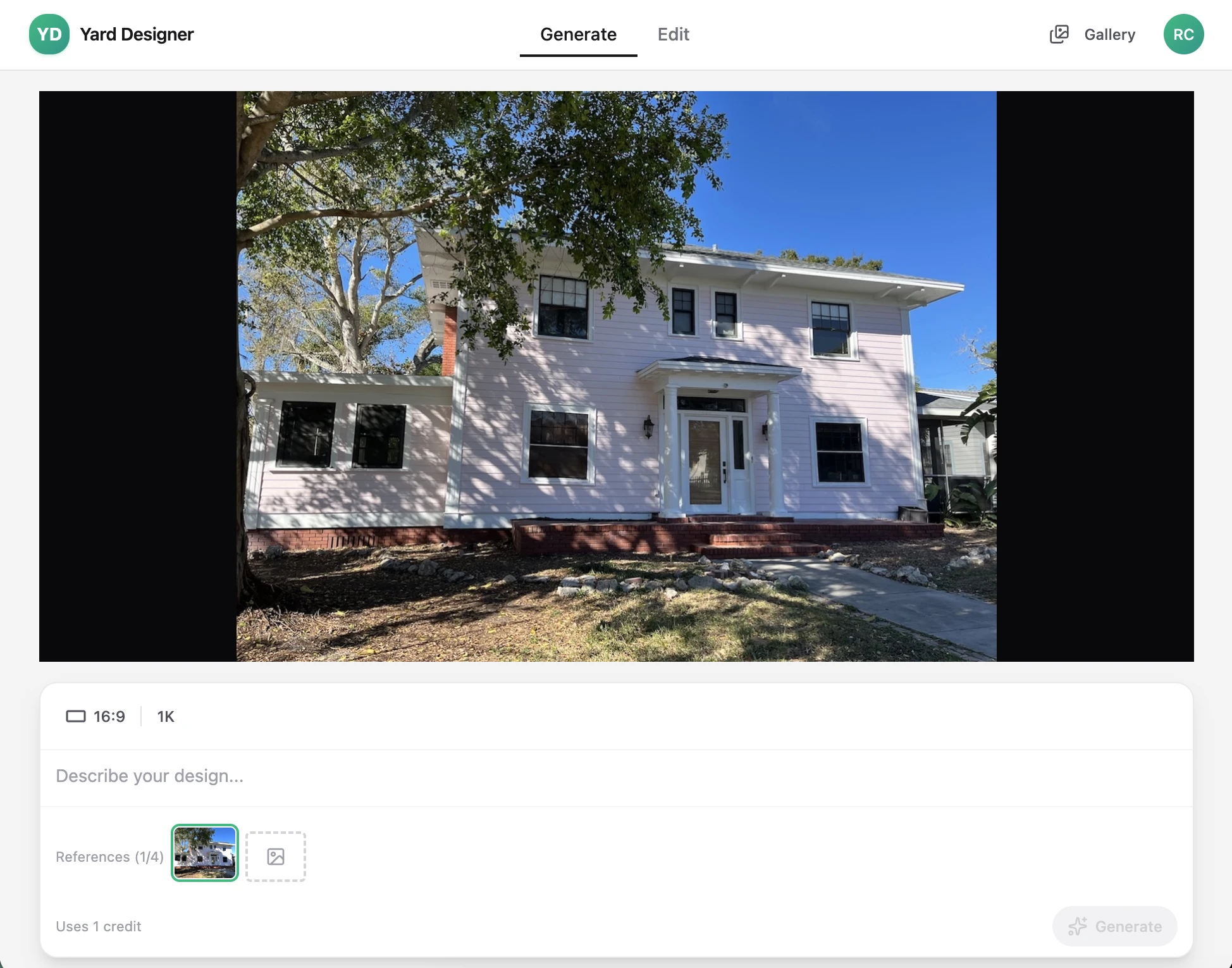
Upload Your Photo
Start by taking a photo of your current outdoor space. This can be your backyard, front yard, patio, garden, or any area you want to transform.
- Use any smartphone or camera - no special equipment needed
- Capture from any angle that shows the area clearly
- Supports JPG, PNG, and WebP formats up to 20MB
- Works with front yards, backyards, side yards, and patios
Pro Tips:
- Natural daylight produces the best results
- Include surrounding elements for context
- Landscape orientation often works best
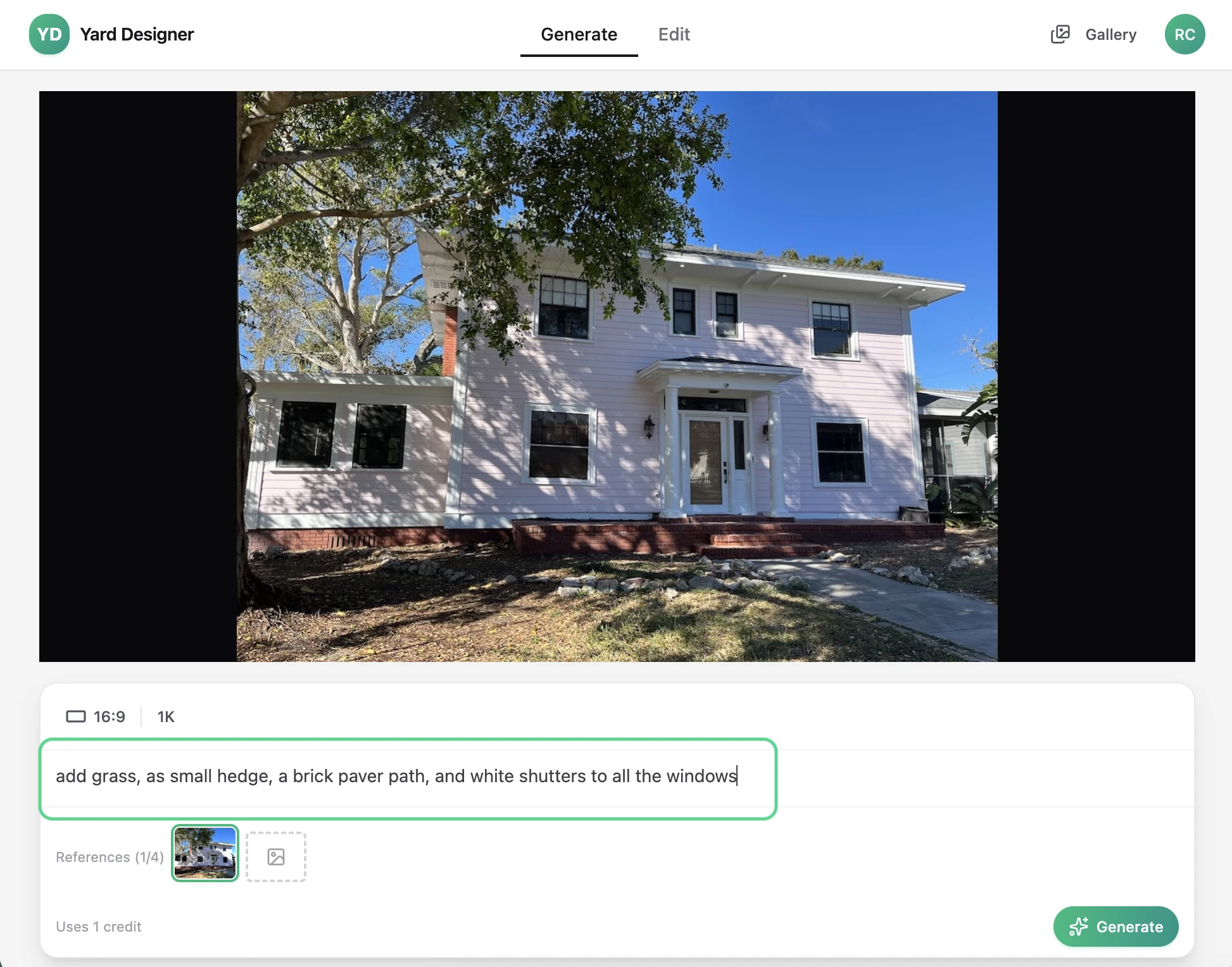
Describe Your Vision
Tell our AI what you want in plain English. Be as specific or general as you like - describe styles, plants, features, or overall vibes.
- Use natural language - no technical terms required
- Describe specific elements: patio, fire pit, garden beds, etc.
- Mention styles: modern, cottage, Mediterranean, minimalist
- Include details about plants, materials, and colors
Pro Tips:
- Start with the overall style, then add specifics
- Mention what you want to keep from the original
- Include seasonal preferences (evergreen, flowering, etc.)
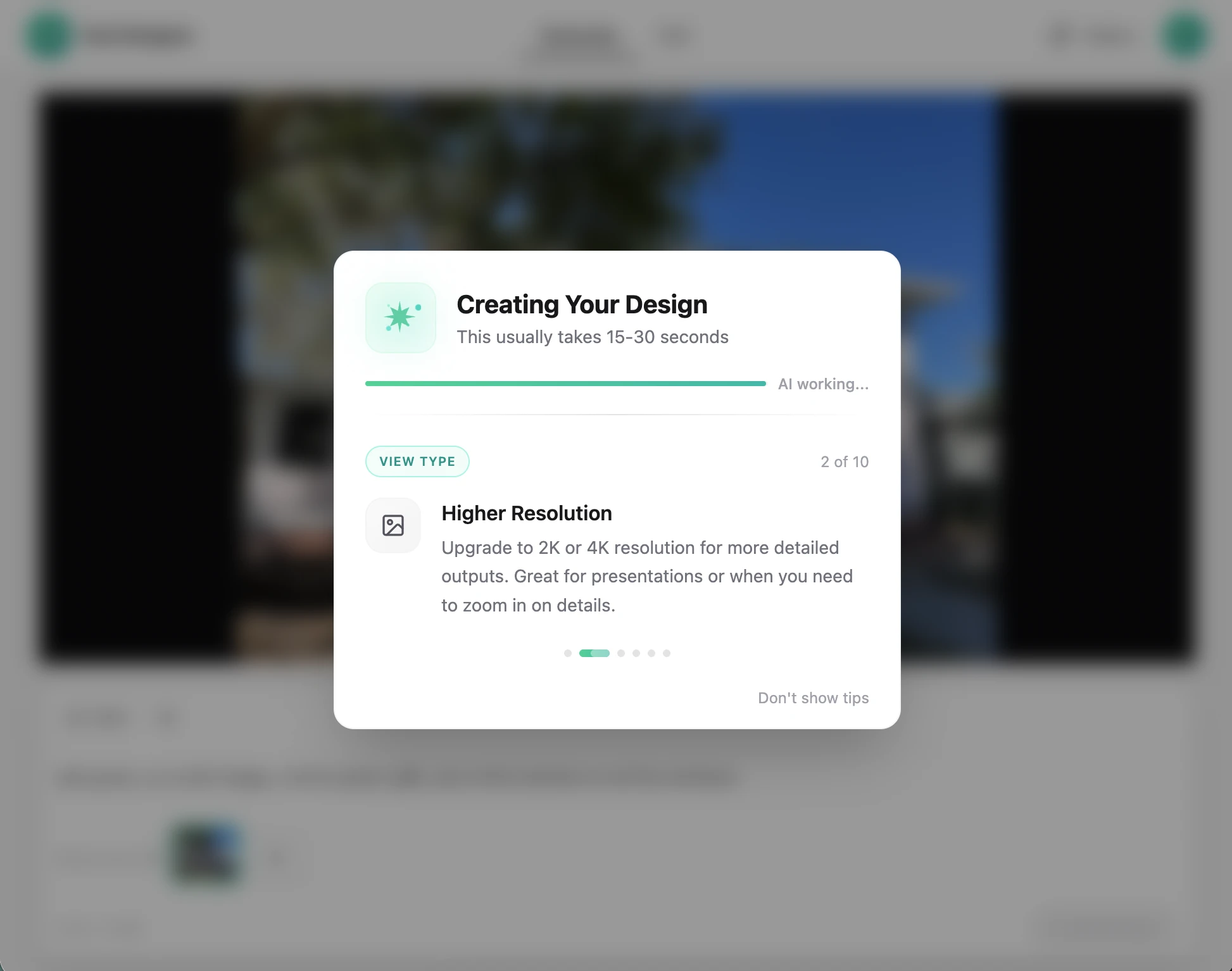
Generate Your Design
Watch as our advanced AI transforms your space in seconds. Choose from 8 design view types including site plans, isometric 3D, planting layouts, watercolor, night view, seasonal, and aerial perspectives.
- Generation takes just seconds, not hours
- 8 design view types — site plan, isometric, planting layout, watercolor, night, seasonal, aerial, and standard
- Apply style variations to instantly explore different aesthetics like Modern Minimalist, Tropical, Zen, or English Garden
- Each generation uses 1-3 credits depending on resolution
- Results are automatically saved to your gallery
Pro Tips:
- Try different view types to see your design from every angle
- Use style variations to compare looks without rewriting your prompt
- Higher resolution uses more credits but gives better detail
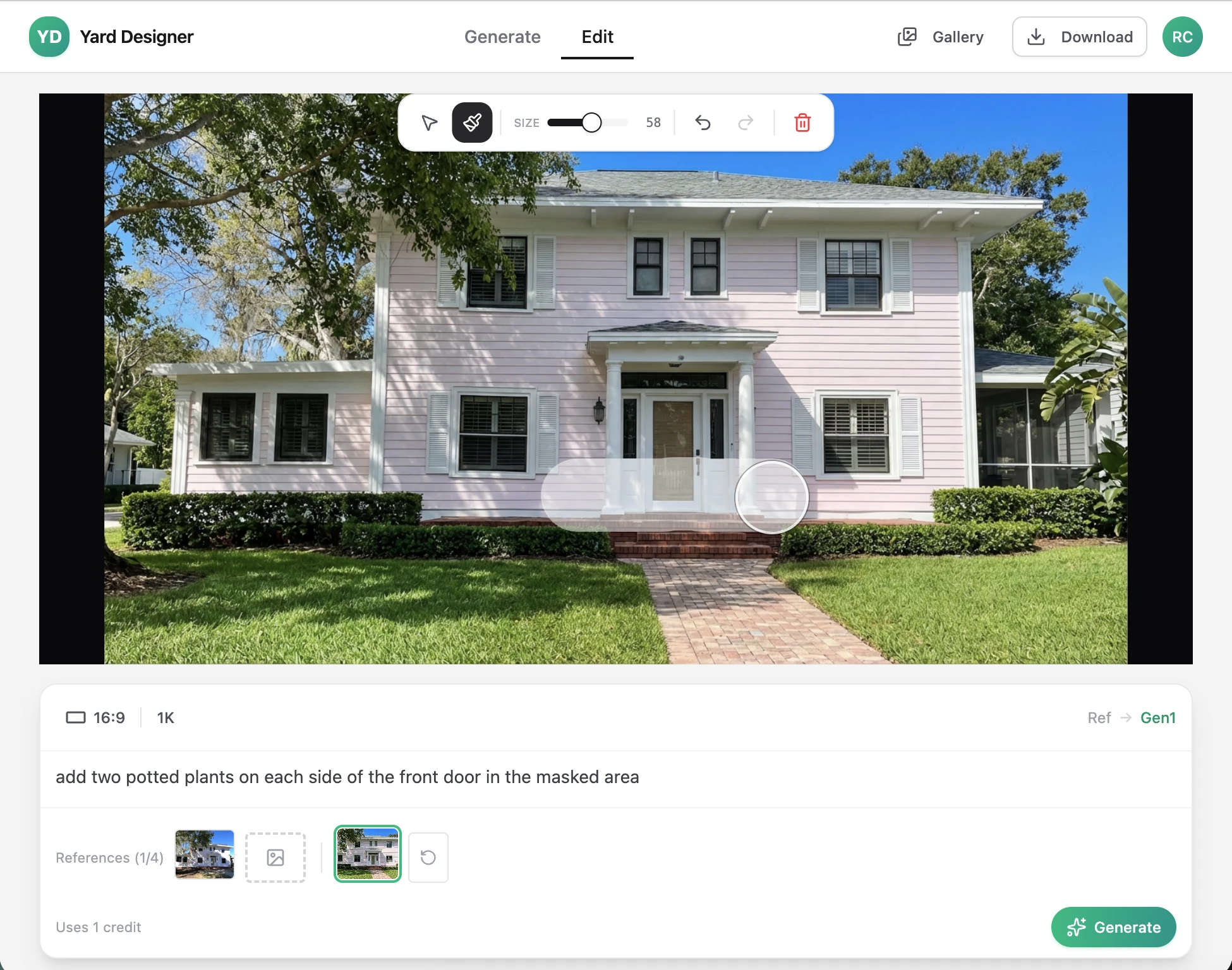
Refine and Iterate
Continue the conversation to perfect your design. Use the Plant Zone Advisor for climate-appropriate plant suggestions, explore style variations, or start fresh branches to try different directions.
- Conversational editing remembers context from previous turns
- Plant Zone Advisor recommends species for your USDA Hardiness Zone — auto-detected from your location
- Use masking to edit specific areas while preserving others
- Branch from any point to explore alternative directions
- All versions are saved — you never lose previous work
Pro Tips:
- Enable Plant Zone Advisor for regionally appropriate plant selections
- Paint a mask to precisely control edited areas
- Branch early if you want to try drastically different styles
Export and Share
Download your final designs in stunning high resolution. Perfect for sharing with contractors, presenting to clients, or getting HOA approval.
- Export up to 4K resolution for print-ready quality
- Download in your preferred format
- No watermarks on exported images
- Share directly or save to your device
Pro Tips:
- 4K resolution is ideal for printing or large presentations
- Keep multiple versions for comparison
- Use high-res exports when working with contractors
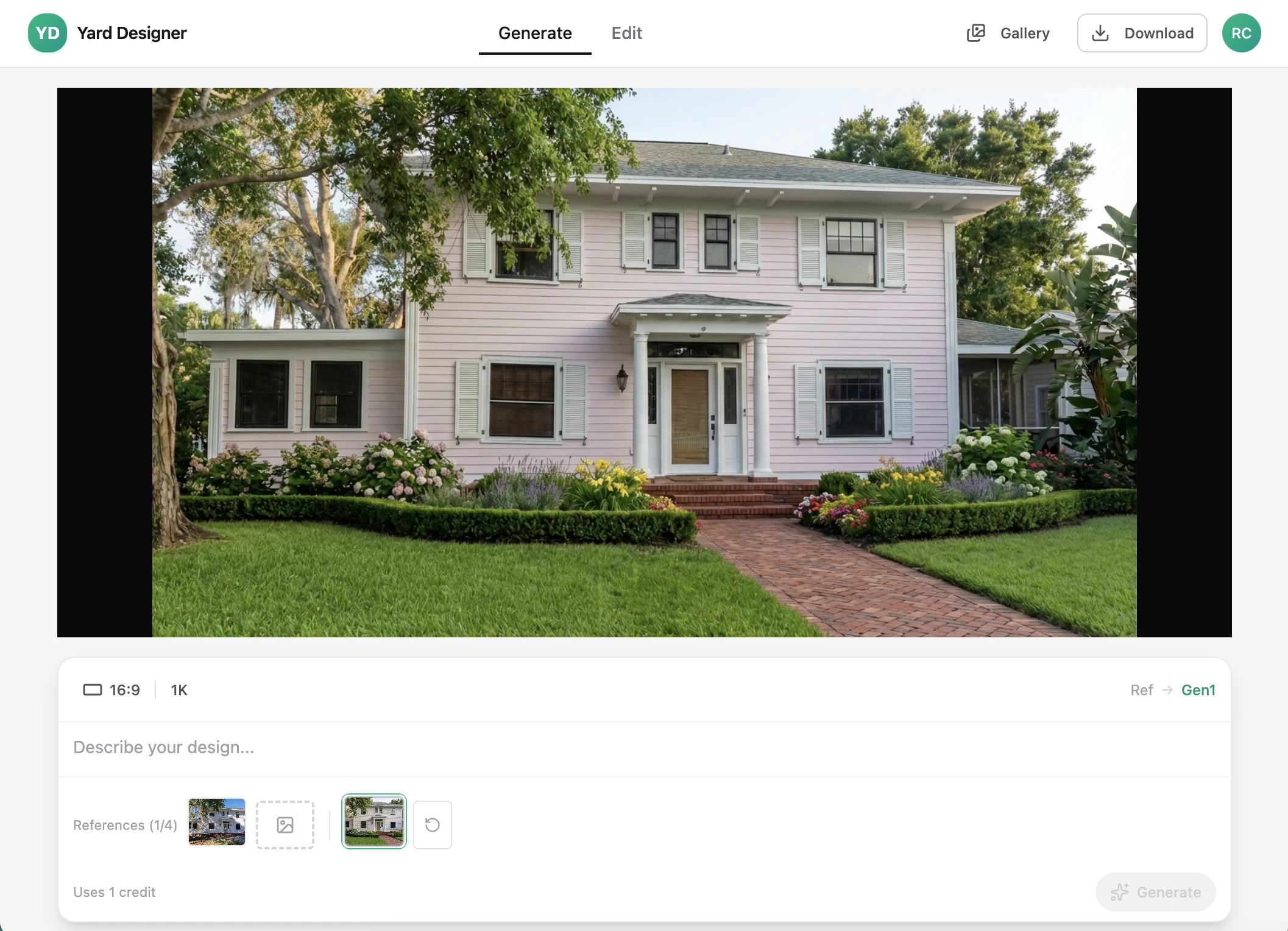
Powerful features at every step
Go further with design views, style variations, and climate-smart plant recommendations.
8 Design View Types
See your design as a site plan, isometric 3D, planting layout, watercolor rendering, night view, seasonal view, aerial perspective, or standard photo. Switch between views on any generation.
Style Variations
Apply curated style presets to instantly explore different aesthetics. Try Modern Minimalist, Tropical, Zen Garden, English Garden, Mediterranean, and more — all from the same base photo.
Plant Zone Advisor
Get AI-powered plant recommendations based on your USDA Hardiness Zone. Auto-detected from your location or ZIP code. Recommended plants are woven into your design prompts for climate-appropriate results.
Professional workflow
Streamline your client presentations and win more contracts.
Upload & Generate
Take a photo of the client's yard and describe your design vision. Get a photorealistic visualization in seconds.
Explore Variations
Branch into different design directions. Refine with conversational editing and targeted inpainting until it's perfect.
Present & Close
Export high-resolution designs and present multiple options to your client. Let the visuals sell the project.